
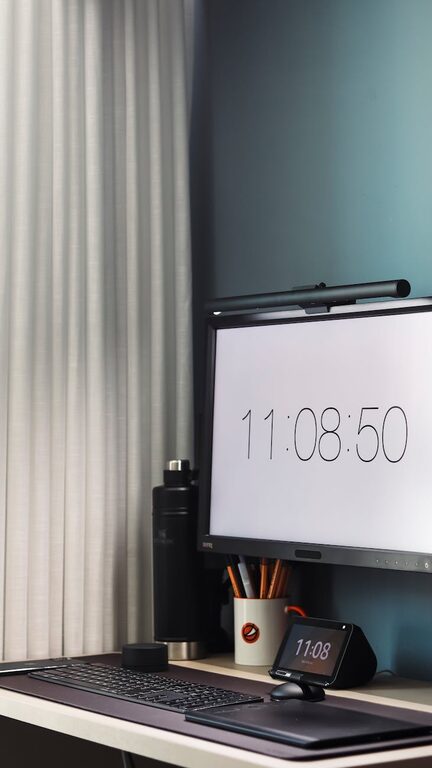
Creating a home office that is both clutter-free and functional can significantly improve your productivity and overall work experience. Whether you work from home full-time or just need a dedicated spot for occasional tasks, an organized workspace helps reduce stress and keeps you focused. Here are practical tips to help you design and maintain an efficient home office.
Assess Your Space and Needs
Before you start decluttering or buying organizers, take a moment to evaluate your space:
– Available area: Measure your room or corner to understand how much space you can dedicate.
– Work tasks: Identify what tasks you do most often. Do you deal with lots of paperwork, or is your work mainly digital?
– Storage needs: Consider how much storage you require for files, supplies, and equipment.
Knowing your needs will help you choose the right furniture and organizational tools.
Choose the Right Furniture
Your furniture sets the foundation for a functional office.
Desk
– Pick a desk with enough surface area for your computer, notebooks, and work tools.
– Consider desks with built-in drawers for added storage.
– Adjustable desks that allow you to alternate between sitting and standing can improve comfort.
Chair
– Choose an ergonomic chair that supports good posture.
– Adjustable height and lumbar support options can make long hours more comfortable.
Shelves and Cabinets
– Add shelves or file cabinets near your desk to keep essential items within reach.
– Closed cabinets help hide clutter and keep the space looking neat.
Declutter and Minimize
Clutter distracts and limits efficiency. Follow these steps to minimize clutter:
– Clear your desk: Only keep daily-use items on your desk.
– Sort paperwork: Create a filing system with categories like “urgent,” “to file,” and “reference.”
– Digitize documents: Scan and save files on your computer or cloud storage to reduce paper.
– Limit decor: Use a few meaningful or inspiring pieces rather than many accessories.
– Regular clean-up: Set a weekly reminder to tidy your workspace.
Organize Your Supplies
Having a place for everything prevents messes from piling up.
Desk Organizers
– Use trays or small containers for pens, paper clips, and sticky notes.
– Drawer organizers help separate items and make them easy to find.
Cable Management
– Use clips, sleeves, or a cable box to keep cords untangled.
– Label cables to identify devices quickly.
Storage Bins and Boxes
– Store extra supplies in labeled bins or boxes.
– Use transparent containers so you can see what’s inside.
Optimize Lighting
Good lighting reduces eye strain and improves mood.
– Position your desk near a window for natural light during the day.
– Use a desk lamp with adjustable brightness for focused light.
– Avoid glare on your computer screen by adjusting curtains or blinds.
Personalize Thoughtfully
Add personal touches that motivate you without creating clutter.
– A small plant can improve air quality and add fresh color.
– Inspirational quotes or a vision board can boost motivation.
– Limit personal items to a few favorites to keep your space professional and tidy.
Maintain Your Space Daily
Organization is an ongoing process. Incorporate these habits:
– End each day by clearing your desk.
– File papers immediately after use.
– Review your to-do list and supplies weekly to stay prepared.
– Reassess your setup every few months to ensure it still meets your needs.
Conclusion
A clutter-free, functional home office is achievable with intentional planning and simple daily habits. Focus on understanding your needs, choosing practical furniture, keeping your space organized, and maintaining it regularly. With these tips, your home office can become a productive and comfortable place to work.
—
By implementing these ideas, you can transform your home office into a clear, enjoyable workspace where you can focus and thrive.